
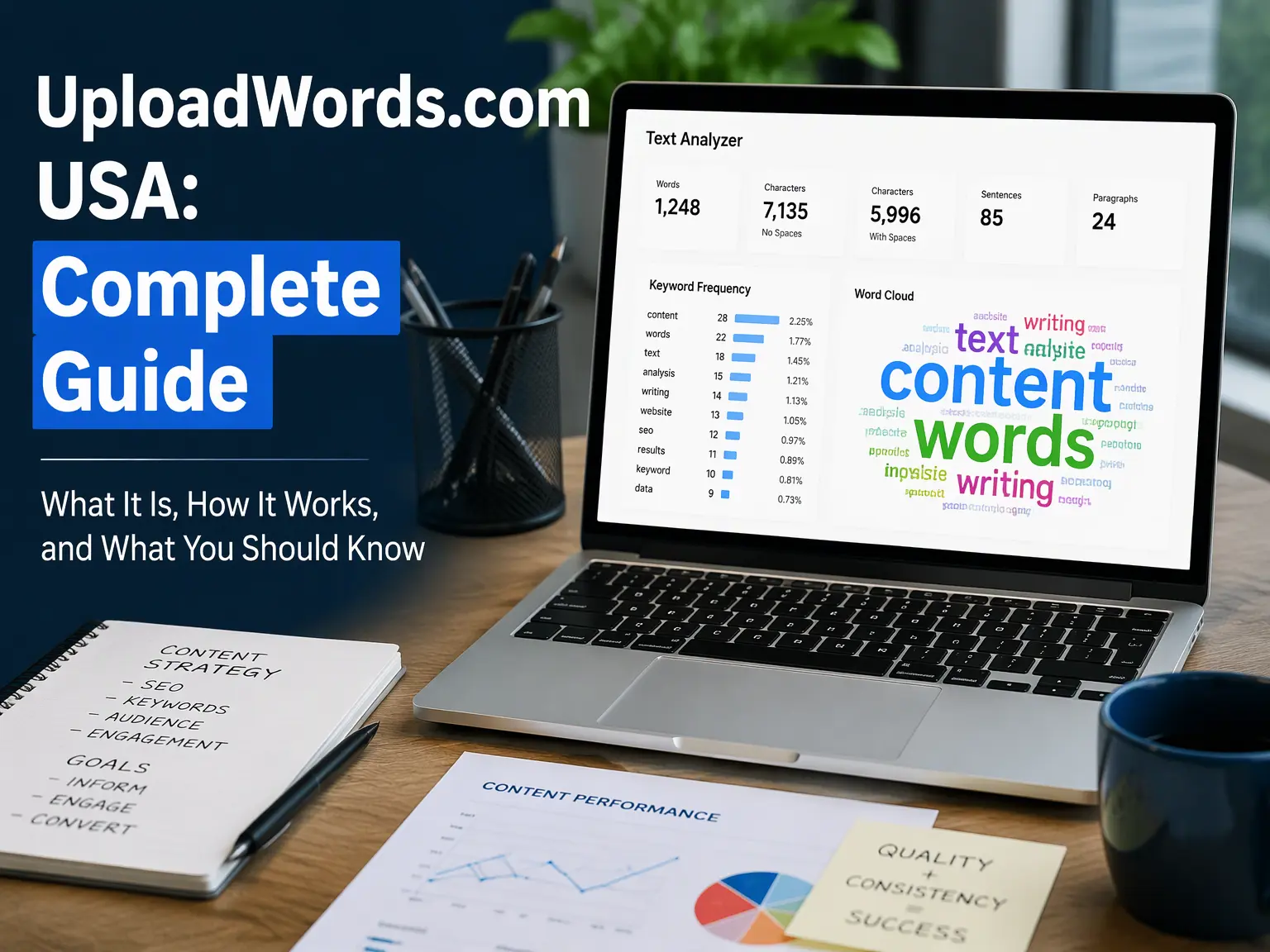
Searching for uploadwords.com usa may leave you wondering whether it’s a US-based website, a file-uploading service, or an online writing tool. The answer is simpler than you might expect. UploadWords.com is a browser-based text analyzer designed to help people check word counts, character counts, frequently used words, and other basic writing details. It can be useful for students, bloggers, freelance writers, and digital marketers who regularly work with written content. However, there are a few things worth understanding before using it, particularly its supported file formats, privacy information, and limitations. Here’s a practical look at what the website offers and whether it deserves a place in your writing workflow.
What Is UploadWords.com USA?
UploadWords.com is an online text-analysis platform that provides basic tools for examining written content. Rather than requiring users to install desktop software, the website allows them to work through a browser.
The main purpose is to make everyday writing checks easier. Someone preparing a college assignment can check its length, while a blogger can examine repeated words before publishing an article.
According to its official website, the platform provides several useful features:
-
Word counter: Calculates the number of words in submitted text.
-
Character counter: Displays the character count.
-
Keyword frequency: Identifies frequently repeated words.
-
Word cloud generator: Presents common words in a visual format.
-
Copy and export options: Helps users reuse their analysis results.
The website advertises its basic service as free and does not require an account.
One important clarification is that UploadWords.com USA does not appear to be a separate American product. The official website identifies one main platform rather than a dedicated US edition.
Main Features of UploadWords.com
The usefulness of an online writing tool depends on what it can actually do. UploadWords focuses on a few straightforward features instead of presenting itself as a complete writing or editing suite.
Word and Character Counting
Word counting is useful whenever a document must meet a specific length requirement.
For example, a student working on a 1,000-word assignment can check whether the draft meets the required limit. A freelance writer can also review an article before sending it to a client.
The character counter provides another measurement, particularly useful when preparing short descriptions, social media content, and website snippets.
Keyword Frequency Analysis
This feature shows which words appear most often in a submitted text.
Imagine writing a 1,200-word article about digital marketing. You might discover that certain terms appear repeatedly across multiple paragraphs. Reviewing the frequency list can help you identify unnecessary repetition and improve the wording.
However, keyword frequency is not the same as Google search volume. It only measures words already present in your content.
Word Cloud Generator
A word cloud turns frequently used terms into a visual representation. Words appearing more often generally receive greater visual prominence.
This can help students understand the main themes of a document or allow marketers to create a simple visual summary for a presentation.
The official FAQ also describes a PNG download option for generated word clouds.
Text Filters and Export Options
The platform’s FAQ describes additional settings, including stopword removal and minimum word length.
Stopword removal filters common terms such as “the,” “and,” and “is.” This makes it easier to identify meaningful words rather than ordinary grammatical terms.
Users can also copy results and download their word-cloud images where those options are available.
How to Use UploadWords.com in the USA
Getting started does not require advanced technical knowledge. The basic process is straightforward.
Step 1: Visit the official website
Open UploadWords.com using a browser on your computer, tablet, or smartphone.
Step 2: Add your text
Find the text input area and paste the article, assignment, paragraph, or other material you want to examine.
The FAQ also describes plain-text file uploads. However, the homepage currently says file uploads are coming soon. Because these pages do not agree, check the live tool before relying on the upload feature.
Step 3: Review the results
Once your content has been processed, examine the available word count, character count, and frequently used terms.
Step 4: Adjust the keyword settings
If your keyword list contains too many common words, try enabling stopword removal. You can also adjust the minimum word length to focus on longer terms.
Step 5: Export or copy your results
If you need a visual summary, use the word-cloud download option when available. You can also copy the displayed results for your notes.
This process is suitable for quick content checks without installing additional writing software.
Benefits for Students, Bloggers, and SEO Professionals
Different people can use a text analyzer for different reasons. Its value depends on the type of writing they produce.
Students and Teachers
Students often work with essays, research assignments, and short-answer exercises. Checking the word count helps them stay within assignment requirements.
Teachers can also use word clouds to demonstrate how frequently repeated words influence the overall appearance of a passage.
Bloggers and Freelance Writers
Content creators frequently work with different word limits and editorial requirements.
UploadWords can help them:
-
Check article length before submission.
-
Identify repeated expressions.
-
Review the main terms in a draft.
-
Prepare word-cloud images for presentations.
-
Make a final content review easier.
SEO and Digital Marketing Professionals
SEO writers can use keyword frequency to identify repeated terms in existing content.
For example, if a product description repeats the same phrase throughout several paragraphs, the frequency report may highlight an opportunity to improve the writing.
Still, this tool should be considered a supporting resource. It does not replace dedicated keyword research platforms that provide search volume, keyword difficulty, competitor analysis, and ranking information.
Privacy, Safety, and Website Limitations
Privacy deserves attention whenever you use an online service to examine written material.
UploadWords describes itself as privacy-focused and states that submitted text is not stored as a public document or shared with third parties. Its FAQ also recommends avoiding highly sensitive personal information.
A sensible approach is to avoid submitting passwords, financial records, private identification numbers, or confidential client documents.
There are also some practical limitations worth remembering.
First, file support needs clarification. The official FAQ lists TXT uploads with a maximum size of 4 MB, but the homepage currently says file uploads are coming soon. This inconsistency means users should verify the feature before depending on it.
Second, it is not a complete writing assistant. A word counter cannot determine whether an article is factually correct, original, grammatically sound, or genuinely helpful.
Third, keyword frequency does not guarantee SEO performance. A frequently used word is not necessarily a valuable search keyword.
Finally, the website does not establish a separate US edition or publicly confirm a US headquarters. American visitors should not assume that the service is operated by a US-registered company simply because they find it through a US-related search.
Best Practices for Getting Better Results
You can get more useful information from a text analyzer by following a few simple habits.
Check your content twice. Start with the complete text to understand its overall length. Then review the frequency list to identify repeated terms.
Use stopword filtering. Common words can dominate a keyword list. Removing them helps reveal the actual subjects discussed in your writing.
Avoid unnecessary keyword repetition. Don’t change natural sentences simply to increase a particular word’s frequency. Readability should remain your priority.
Compare important word counts carefully. Different applications may calculate hyphenated words, numbers, and special characters differently. If a teacher or client specifies a particular counter, use that tool for your final submission.
Choose the right tool for the task. Use a dedicated grammar checker for proofreading, an SEO platform for search research, and a word processor for editing larger documents.
These practices make UploadWords more useful without expecting it to perform tasks outside its purpose.
UploadWords.com vs. Traditional Writing Tools
UploadWords serves a different purpose from traditional word processors. Understanding the difference can help you decide which tool is appropriate.
| Feature | UploadWords.com | Microsoft Word / Google Docs |
|---|---|---|
| Word counting | Yes | Yes |
| Character counting | Yes | Available |
| Keyword frequency | Yes | Not a standard built-in feature |
| Word cloud | Yes | Requires additional tools |
| Full document editing | No | Yes |
| Grammar assistance | Not established | Available |
| Account requirement | No account advertised | Depends on the product |
The main advantage of UploadWords is its focused approach to basic text analysis. Word processors offer a broader set of editing and document-management features.
Neither option is automatically better for every situation. Your choice should depend on whether you need a quick text analysis or a complete writing environment.
Frequently Asked Questions About UploadWords.com USA
1. What is UploadWords.com USA?
UploadWords.com USA refers to the main UploadWords.com website, an online text analyzer that provides word counts, character counts, keyword frequency information, and word clouds. It is useful for students, writers, bloggers, and marketers who need basic content analysis.
2. Is UploadWords.com free to use?
Yes. According to its official FAQ, the platform offers its basic features free of charge. It also advertises access without registration, subscriptions, or hidden charges.
3. Is there a separate USA version of UploadWords.com?
The official website does not identify a separate US edition. The USA wording appears to be a geographic search variation rather than the name of another product or service.
4. Can I upload Word or PDF documents?
The official FAQ currently describes TXT file uploads with a maximum size of 4 MB. It does not list DOCX support, and the homepage currently says uploads are coming soon. Pasting text directly is an alternative.
5. Does UploadWords.com help with SEO?
It can support basic content analysis by showing frequently used words. However, it does not provide comprehensive keyword research, search volume, keyword difficulty, or Google ranking information.
6. Is UploadWords.com safe for private documents?
The website makes privacy-focused claims and advises users to avoid entering highly sensitive information. As a precaution, keep passwords, financial information, and confidential business documents out of online text tools.
7. Can I use UploadWords.com on my phone?
The official homepage describes the service as suitable for mobile use. You can access the website through a compatible mobile browser without installing a dedicated desktop application.
Conclusion
UploadWords.com is a straightforward online text analyzer that can make everyday writing checks easier. Its word counter, character counter, keyword frequency analysis, and word-cloud feature provide useful information for students, bloggers, freelance writers, and digital marketers.
However, it is essential to understand its limitations. It is not a full document editor, an advanced SEO platform, or a cloud-storage service. Its file-upload information also needs clarification because the homepage and FAQ currently describe different availability.
If you need a quick way to examine ordinary written content, UploadWords.com USA is worth exploring. Just verify the available features, protect sensitive information, and choose more specialized software whenever your work requires advanced editing or SEO analysis.